Not so long ago, attendance tracking in most small companies looked the same: a notebook by the entrance or a paper sheet that everyone signed. It worked — until someone had to add up overtime for the past three months, settle a dispute about late arrivals or prepare documentation for a labour inspection. Then it turned out that half the signatures were illegible and one page had gone missing.
A time and attendance recorder solves this problem completely — and, contrary to popular belief, it is no longer an expense reserved for large plants. The simplest devices cost as much as a good mechanical keyboard, and installation comes down to hanging them on the wall and plugging in the power. In this guide we show how the different types of recorders differ, what to look for when choosing one, and which legal pitfalls await employers who would like to track working time with a fingerprint.

Since the European Court of Justice ruling in the CCOO case (C-55/18, 2019), the legal situation across the EU has been clear: member states must require employers to operate an objective, reliable and accessible system for measuring daily working time. National regulations differ in detail — some countries have already written explicit electronic-recording obligations into law — but the direction is the same everywhere: paper lists are on the way out.
Equally important is the evidential aspect. In a dispute about overtime, it is usually the employer who has to demonstrate how many hours were actually worked. Courts have repeatedly sided with employees precisely because the company’s records were full of holes. An electronic recorder that automatically logs every entry and exit is the strongest evidence you can put on the table.
One more practical point our customers ask about regularly: does swiping the card at the entrance already count as “starting work”? That depends on your internal regulations. It is worth stating in your workplace rules that the recorder documents attendance, while working time is calculated according to the schedule — otherwise an employee who clocks in 20 minutes early because of the bus timetable could theoretically claim overtime.
This is the first and most important decision, because it determines both convenience and legal compliance.
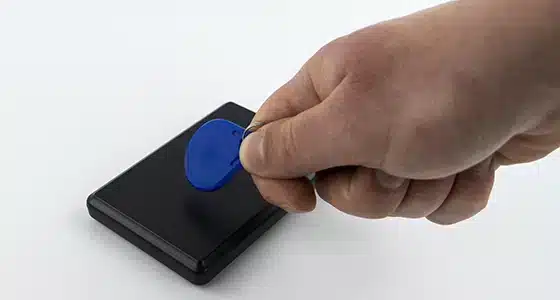
An RFID card or key fob is by far the most popular solution and, in our view, the safest choice to start with. The employee taps the card on the reader, the device beeps, done. The whole thing takes less than a second, works with work gloves and dirty hands — which matters more on a production floor than you might think. Cards cost little, and a lost card is simply deactivated and replaced. The only real weakness: a colleague could clock in with someone else’s card. In practice the risk is limited by placing the recorder in a visible spot and stating clearly in the workplace rules that clocking in for someone else is a serious breach of duties.
A PIN code usually complements the card — most recorders support both methods in parallel. It works well as a lifeline when someone forgets their card: the day does not “disappear” from the records and HR does not need to get involved.
A fingerprint eliminates buddy punching but introduces two new problems. The first is practical: biometric readers can struggle with dry, damaged or dirty fingertips. The second is legal and more serious: a fingerprint is biometric data — a special category of personal data under Article 9 of the GDPR. Processing it in an employment context generally requires the employee’s freely given consent, and data protection authorities across the EU consistently stress that forced consent (“no fingerprint scan, no work”) is invalid. This means you must always provide an alternative, such as a card, and genuinely let employees choose. Hybrid devices work well here — the CTR10, for example, comes in variants supporting card, key fob, fingerprint and PIN in parallel, so every employee can use the method they have agreed to.
You will also find recorders with face recognition on the market. Technically it is a convenient, touch-free option, but legally exactly the same rules apply as for fingerprints: voluntary consent and an alternative method. For companies without legal support we usually advise against biometrics as the only method — the card + PIN combination covers 95% of needs with no risk.
A recorder for a ten-person office and one for a three-shift plant with a hundred workers are completely different devices — and not just in price.
With a dozen or so employees, a simple RFID card recorder such as the CTR10 is enough. The device stores events in its internal memory, and reports are downloaded over USB and opened in a spreadsheet. No network, no server, no subscription. For a micro business this is entirely sufficient — deployment takes about fifteen minutes, ten of which are spent assigning cards to names. The CTR12 adds memory for up to 1,000 employees and fingerprint support.
Above 30–50 people, manually downloading reports becomes tedious and network recorders enter the picture. Devices like the TimeLok-200 connect over WiFi or cable and let you manage attendance from a browser — HR sees who is in, live, without leaving their desk. This class of device supports up to a thousand employees, so there is scale in reserve for years. For larger industrial sites, choose a variant with a backup battery such as the TimeLok-300 — without battery backup, a morning power cut means a hole in the records exactly when everyone is arriving at work. In halls full of metal and motors, a wired LAN connection is simply more predictable than WiFi; the TimeLok-400 additionally offers 4G connectivity.
For the TimeLok series we recommend the beepclock.com system — attendance flows into it automatically, and reports, corrections and live view are handled from the browser, with nothing to install on company computers.
A separate consideration: multiple locations. If your company has branches, choose recorders that report to a shared system (in the TimeLok series the WEB/P2P function handles this). The alternative — manually merging reports from three cities into one spreadsheet — sounds harmless, but six months in nobody remembers why the totals do not match the payroll.
The recorder itself is half the system. The other half is what you get out of it, and the differences between devices are considerable. The minimum to expect: a list of entries and exits per employee, hour totals for a chosen period and export to a file (CSV or XLS) that can be handed to accounting or imported into payroll software. Better devices and applications also calculate late arrivals, early departures, overtime and night work.
From our customer service experience: before buying, simply look at a sample report from the device you are considering. Ten minutes of looking at screenshots saves you discovering later that the “report” is a raw event log from which you have to calculate the hours yourself.
Does a time recorder require a subscription? The devices in our range — no. You buy them once, and the basic reporting software is included. Online systems make sense when you need more: live attendance view, multiple locations, convenient corrections. In that scenario the TimeLok series pairs well with beepclock.com.
What happens when an employee forgets to clock in? An administrator can add or correct an event manually — and every such correction is logged. This is a common theme of the first weeks after deployment: people forget. One thing helps — consistency. Where the manager reminds people about clocking in for the first month, the habit sticks and the problem disappears.
Does the recorder replace working time records? Formally, the records are a document kept by the employer — the recorder supplies the data for it. In practice, the report from the recorder, supplemented with holidays and sick leave, simply becomes the records. Remember the retention period for employment documentation required in your country.
What about GDPR with an ordinary card? A card number assigned to a name is ordinary personal data — no special consents are needed; it is enough to cover the processing in your company’s GDPR documentation and inform employees. The special-category regime applies exclusively to biometrics.
If we had to boil this guide down to three sentences, they would be these. For a small company: an RFID card recorder with USB reports — lowest cost, zero legal complications, deployed in fifteen minutes. For a medium or larger company: a network device with browser access and payroll export; on industrial sites, insist on a backup battery and a wired connection. Treat biometrics as a convenient extra, not the foundation — always with an alternative and the employee’s voluntary consent.
You will find all the device types described here in our working time recorders category — and if you are not sure which model fits your situation, write or call us. We have been matching recorders to companies for years, and three questions are usually enough: how many employees, how many locations, and is there a network on site. You may also like our earlier article on the benefits of work time registration systems.